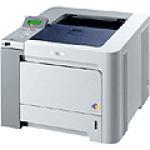
 My rather new Brother started raising “false” alerts (at least I think they’re false…) about empty/dead toner, “Toner Life End” it said on the device display. I had only printed a few hundred pages so far. In search for an answer Google directed me to http://www.fixyourownprinter.com/forums/laser/39806.
It’s a long and chaotic thread but about 1/5 from the top there is a posting that advises to do following for Brother HL-4040 and similar models.
How to reset toner warning “Toner Life End”
For the toner life reset menu:
1 Open the front cover of the printer
2 press and hold the cancel button
3 press the reprint button while still holding cancel
– here is the reset menu – go to the appropriate cartridge on
– the menu and reset it and you’re done!
FYI… Pressing the “Go” button and the up arrow gives you the parts life reset menu (drum, laser, fuser, etc.)
I also did the electric tape over the windows – which worked before the reset – but I thought this fact would be helpful too.
For anyone that is asking “what window?” I think it is the clear plastic opening on the sides of the cartridges where you can actually see the powder inside the cartridge – the color of the toner (magenta, yellow, or cyan). I didn’t really know that for sure when I tried, but it made sense, and it worked. So I am fairly sure that is the “window” you should be trying to cover.
Thank you very much for this tip – I had the same problems which are now resolved.
The menu based reset worked perfectly. Thanks for this.
NB – every cartridge is listed twice on the reset menu “-H” for High capacity cartidges and “-S” for standard – make sure you pick the correct one for your cartidges otherwise it errors. 130 are standard and 135 are high.
thank you, thank you – finally a real solution to the toner problem. All three were going at once and now it prints fine
Thank you! Really helpful.
Very helpful…putting an opaque tape over the “windows” of the toner cartridge worked like a charm…I have a different brother model so I don’t think my menu options are the same.
Thanks.
ty very much, saved me a load of money, not to mention the deadline that i have tomorrow an no chanse to get new tonercassetes over night..
brilliant, it’s always great when you can squeeze a little more life out these things that Brother don’t want us to have (3 colour toners all went at same time), I did tape the viewing windows first, that didn’t work, but with that AND the reset as described it works a treat Well Done !!!
FORGOT TO ADD – MY MACHINE IS 4040CN
Great tip ! black tape alone over the window didn’t work but after I did the toner life reset described it worked fine, thanks very much.
Fantastic! I applied the reset process (no taoe over windows) to my HL-4070CDW and I can now print again. Excellent reference is now taped to the side of the printer!
merci pour l’info
très pratique
Thank you!
Great advice, worked like a dream!
The ‘reset’ worked for my black cartridge too. (Brother 4040CN) Didn’t need the tape either. Brilliant! Thanks so much.
Thank you, why do all the cartridges supposedly run out at once, just replaced M,Y,C then days later supposedly black toner ended life although printing full black. Thanks so much for this info, deadlines for morning…midnight now.
Worked for the HL4040CN Thank You!! I have used the tape before but that doesn’t work when the “End of Cartridge Life” message appears. Oh Brother! Always got months more usage before with the tape so am assuming the same for this fix.
It worked like a charm… machine is printing like new!
Doing just the reset, I could only get one page to print at a time before the warning would come back up. Covering the window with masking tape did the trick. Saved my butt on a project due right now. Thanks!!!
awesome fix,,thanks
Another thing to look out for is the reset gear. Reset that too
I need help …
I just replaced my cartridges with compatible set (C,M,Y and black) but only black is good while the 3 colours have very low quality .i tried all the ways by resetting the Settings also by color calibration..etc in the end it still writing very bad
Any help pleeeeeeeeeeeeeeeeeeeeeeeease…?!
Thankyou thankyou thankyou thankyou thankyou thankyou thankyou etc.
Awesome, thank you for this fix ~ worked a charm!
Absolutely brilliant! I can tell when my toner is running low; now I don’t have to shell out >$250 Canadian for new CMY cartridges when there’s plenty of life left in the ones already in the printer. Thank you so much!
Thank you! It’s the 2nd time I’ve reset these cartridges…seems as if the color can last a long long time. Oh, and your fix worked for my Brother HL 4070CDW series too.
Google How to Reset the Flag Gear. You must do this first for a 4040CN
YOU DA MAN! Totally worked for me! THANK YOU!
Put brand new toner in machine – still said out of toner – ran your reset tip – it worked – amazing!
Put the old toner back in and that continued to work as well. OK, so it might physically run out before the printer says so but I can handle that.
Thanks.